Four API Configuration Traps You Will Hit When Installing a Multi SIM Gateway
📑 Table of Contents
- Trap 1: Confusing SMPP with HTTP API
- Trap 2: Ignoring the 2G/4G Network Handshake Time
- Trap 3: Ignoring How SMS Encoding Affects Segment Count
- Trap 4: Forgetting to Configure a Default Route
- Troubleshooting Bay
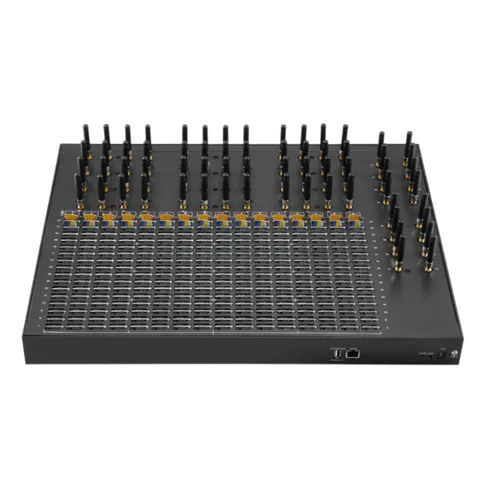
“Why does the system keep throwing errors when I’ve already connected the Ethernet cable per the manual?” This is the question we get most often in technical support. Plenty of technical leads assume that installing an SMS gateway multi SIM capacity device is roughly the same as configuring a consumer router. But when the device handles up to 512 cards in concurrency, plus mixed VoIP and SMS routing, the interface configuration complexity rises exponentially. Per IDT Express’s SMPP documentation, a single SMPP connection typically supports 50 to 300 messages per second, and multi-binding parallelism can reach thousands per second, while HTTP API’s per-request connection overhead is significantly higher under high concurrency. Picking the wrong protocol is the most invisible cost trap at install time.
Below are the four most common failure scenes I’ve catalogued while helping enterprises deploy Telarvo products (high-density gateways and VoIP equipment alike).
Trap 1: Confusing SMPP with HTTP API
Did you dump all your bulk marketing sends into HTTP API? Then you noticed the receipt latency was terrible. Listen: high-throughput bulk sends must go through SMPP. SMPP uses persistent TCP connections with minimal overhead and gives you precise deliver_sm receipts. Per IDT Express’s comparison data, SMPP latency in high-throughput scenarios is typically 5 to 10 times lower than HTTP. Only use HTTP API for lightweight web-app triggers.
Trap 2: Ignoring the 2G/4G Network Handshake Time
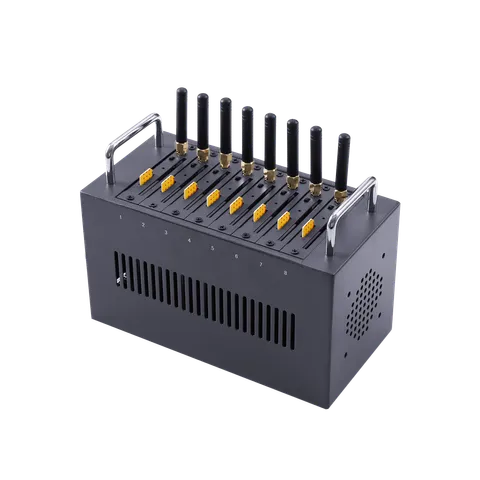
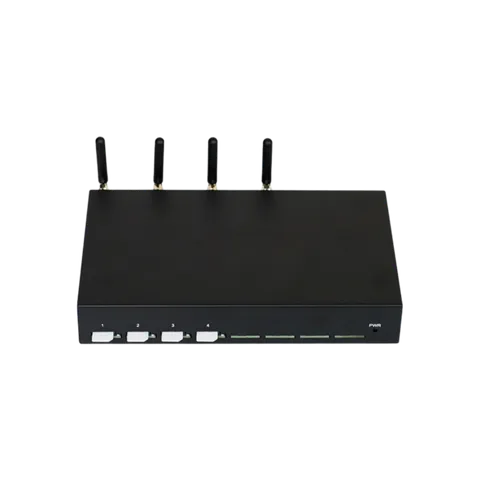
When configuring 4G mode, many engineers don’t leave enough “network registration time” in the system. When you insert a card into a 4G module, it needs time to handshake and register with the base station. If you configure an overly aggressive concurrency policy, the system starts dispatching tasks before the card is fully online, and the dead-letter rate spikes. The fix is to use Telarvo’s 2G/4G auto-detection and add a “wait for network ready” delay at the API layer. Power specs matter too. The Telarvo SK-SMS 16-128 explicitly requires 12V5A input; an unmatched adapter will cause module reboots under high concurrency, and the symptom looks exactly like a “network problem.”
Trap 3: Ignoring How SMS Encoding Affects Segment Count
This is a trap almost everyone hits. Per Twilio’s encoding documentation, GSM-7 supports 160 characters per segment, but the moment a message contains one non-GSM-7 character—Chinese, emoji, even certain “smart quotes”—the entire message switches to UCS-2, dropping the per-segment limit to 70 characters, with concatenated segments carrying only 67 each. If your API template mixes in Chinese punctuation or special symbols, a message that should have gone out in one segment becomes two or three, and cost doubles instantly. At deployment time, keep marketing and notification messages in a pure GSM-7 character set. OTP templates especially.
| Frequent Error / Symptom | Root Cause | Telarvo Interface Fix |
|---|---|---|
| No receipt after send | Using HTTP polling instead of SMPP receipts. | Switch to SMPP binding, subscribe to deliver_sm events. |
| Slot shows online but won’t send | SIM rotation not configured or speed too high, triggering risk control. | Use gateway distribution, set rate control and auto-rotation. |
| Frequent reboots under concurrency | Power insufficient or overheating. | Verify 12V5A supply, clean cooling airflow. |
| More segments than expected | Encoding switched from GSM-7 to UCS-2, causing splits. | Audit template character set, remove UCS-2 triggers. |
Trap 4: Forgetting to Configure a Default Route
In a complex IP network, if your gateway has no clear default route exit, packets loop inside the LAN. When deploying a device with one WAN port, make sure your static route points to the correct gateway address. For multinationals using VoIP Gateway for cross-region traffic, precise routing is even more critical. After installation, start with a small number of SIM cards for live send tests, observe whether the device switches smoothly between 2G and 4G, then ramp up concurrency gradually. Telarvo’s free sending software supports multi-threaded sending and auto-retry, so you can complete full validation before going live.
【About Telarvo】 In integration projects, Telarvo plays the role of a protocol compatibility layer more than a pure hardware vendor. We know every minute a developer spends on install and configuration is project cost draining away. That’s why our devices natively support mainstream protocols and ship with complete developer documentation. When you hit a hard technical problem, our 7x12 support team is ready to dig in with you.
🛠️ Troubleshooting Bay (Diagnostic Dialogue)
Q: HTTP API returns 200 but the SMS never goes out. What’s happening? A: 200 only means the gateway received your request—not that it processed it. Check the system log. Nine times out of ten it’s a missing default route or SIM send permission not enabled. Stop staring at the API status code. Look at the queue.
Q: Swapped in a new 12V5A power supply, still dropping offline at full load. Why? A: Rule out network first, then measure socket voltage. A cheap adapter rated 5A may only deliver 2A under load. When voltage sags at full load, the module reboots.
Q: SMPP link keeps disconnecting and reconnecting. Log shows enquire_link timeout. How do I fix it?
A: Classic heartbeat timeout. If you’re crossing the public internet for SMPP, check whether your firewall or NAT device kills idle TCP connections after 30 seconds. Reduce the heartbeat interval on the device or server side—set it to 20 seconds and stop letting it idle.
Q: Using HTTP API for bulk marketing, some users receive the same message twice. Why?
A: Your application layer has no dedup logic, or the gateway’s “timeout auto-resend” fired. Don’t expect the gateway to dedupe for you. Attach a unique message_id to each request at the API layer so you can tell whether a resend is the same message.
Q: After enabling 2G/4G auto-switch, the device stays on 2G and never returns to 4G. A: Check the 4G band configuration and APN settings in the admin panel. Most of the time the SIM’s APN doesn’t match. Also, some devices have an anti-flapping “lock network” mechanism to prevent frequent switching. If 4G priority isn’t set high enough in the backend, the device stays in its 2G comfort zone. Manually force a 4G registration once, or restart the RF module.
Sources:
- IDT Express — SMPP (Short Message Peer-to-Peer Protocol)
- Twilio — SMS Character Limit and Encoding
- Telarvo Blog — Wholesale SMS Gateway Equipment
Published: 2026-11-1 | Last Updated: 2026-11-2 Corrections or feedback: service@telarvo.com
Blog
Learn more
SMS Gateway Real-Time Send and Receive: How Telarvo Enables Real-Time SMS Sending and Receiving
This article directly explains the meaning of SMS gateway real-time send and receive, and describes the hardware architecture, SIM card routing, IP network connectivity, and SMPP and HTTP API access methods of the Telarvo TGW SMS Gateway.
How Local 2G/4G Gateways Improve SMS Gateway Uptime Reliability (2026 Buyer Guide)
Compare SMS gateway uptime and reliability across local 2G/4G hardware and cloud routes. See how grey routes hurt deliverability, plus failover, latency and cross-border compliance tips.
Is a 2G GSM SMS Gateway Really More Cost-Effective Than a Cloud SMS Platform?
Is a 2G GSM SMS gateway cheaper than a cloud platform? We break down hardware, SIM, and maintenance costs to reveal the real total cost of ownership.