GoIP4 SMPP OTP SMS Setup: Integration Pitfalls & Configuration Guide
Table of Contents
- Background & Hardware Selection
- Test Environment (Scope of Applicability)
- Pitfall 1: SMPP is Disabled by Default
- Pitfall 2: Delivery Reports (DLR) Consistently Show Failed Status
- Pitfall 3: Segmented Long SMS Arrive Blank or Garbled
- Pitfall 4: All Modules Share One SMPP Connection
- Post-Deployment Performance & Evaluation Guidance
- Quick Checklist for Operators
- References
Background & Hardware Selection
This deployment targets an e-commerce login OTP channel with a peak volume of 20,000 to 30,000 messages per day, with strict requirements for low latency and delivery reliability. Initially, an off-the-shelf SMS platform was considered, but per-message pricing made costs difficult to control during peak seasons. We opted to build a self-hosted GoIP channel instead: local carrier SIM plans handle most OTP traffic, with a commercial SMS platform as a fallback for traffic spikes.
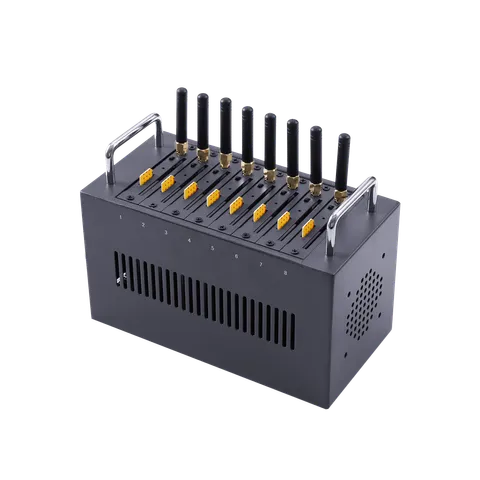
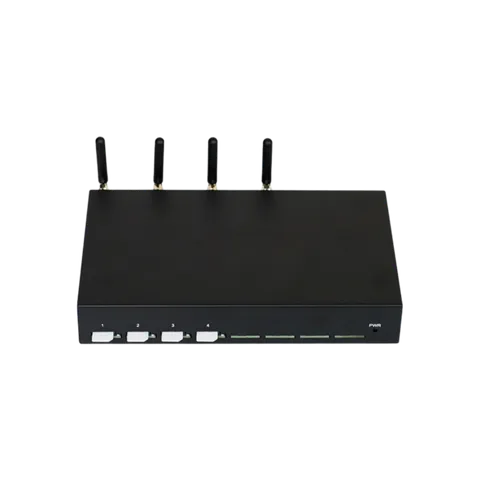
The GoIP4 was selected because it can bind multiple wireless modules under one SMPP connection. The gateway itself selects which module to use for transmission, removing the need to build distribution logic on the application side.
Test Environment (Scope of Applicability)
All observations below are based on this setup. Results can differ with a different carrier or firmware release:
- Hardware: GoIP4 (firmware version as deployed; firmware heavily impacts concatenated long SMS behavior, retest with your own build)
- SMS Server: Diafaan SMS Server
- SIM Cards: Targeted SMS plan from a local mobile carrier
Pitfall 1: SMPP is Disabled by Default
Symptom: After entering the gateway IP, System ID, and credentials in the SMS server, test messages do not send, with no obvious errors in logs. Root Cause: SMPP service is factory-disabled on GoIP units. The gateway will not listen on the SMPP port unless manually enabled.
Configuration Steps:
- Log into the GoIP web admin panel and navigate to Configuration → Preferences.
- Locate the SMPP toggle and enable it, then save settings.
- Create a dedicated SMPP System ID and password; match these credentials in your SMS server.
- Restart relevant services and send a test SMS to confirm end-to-end connectivity.
Important Notes: An SMPP password is mandatory. Leaving it unset exposes your SMS gateway on the local network — any host that can reach the gateway IP may send messages through your SIMs. Security audits have documented cases where this oversight led to unexpected and costly SIM abuse. When enabling SMPP, restrict port access so only your SMS server IP can connect.
Pitfall 2: Delivery Reports (DLR) Consistently Show Failed Status
Symptom: Messages actually deliver and end users receive OTPs, but Diafaan marks delivery receipts as failed. This initially suggested a faulty gateway.
Root Cause: Mismatched Message ID format. When creating a new gateway profile in Diafaan and similar platforms, the default Message ID format does not match the IDs returned by GoIP. The system cannot map delivery receipts correctly, misclassifying successful deliveries as failures and triggering unwanted retries.
Configuration Steps:
- Edit or recreate the GoIP gateway profile inside your SMS server.
- Under advanced settings, find Message ID format and override the default value to Numeric.
- Save changes and send a test SMS to verify proper DLR callback.
Important Notes: This is an easy-to-miss setting with major operational impact. If you run GoIP alongside Diafaan or comparable SMS servers, treat this check as mandatory. Validation only requires a single test message; no bulk traffic is needed.
Pitfall 3: Segmented Long SMS Arrive Blank or Garbled
Symptom: Messages longer than 140 bytes are expected to be split using UDH segmentation headers per 3GPP TS 23.040 standards. In practice, the GoIP4 handles segmented long SMS unreliably, occasionally producing empty payloads or corrupted characters. Root Cause: Older firmware has unstable logic for concatenated SMS processing. Improper header parsing results in blank or malformed messages.
Mitigation & Notes:
- For OTP use cases, the safest approach is to keep all content within a single SMS segment: maximum 70 Chinese characters or 160 Latin characters. Avoid concatenated long SMS entirely.
- Simplify template copy to fit within these limits for maximum stability and to eliminate segmentation bugs.
- Behavior varies by firmware version. Re-test with your specific firmware before production rollout.
Pitfall 4: All Modules Share One SMPP Connection
Symptom & Root Cause: The GoIP4 exposes only one SMPP connection shared across all wireless modules. Messages are submitted to the gateway, and the gateway chooses the outbound SIM automatically. This means you cannot assign specific number ranges to a designated module from your SMS server.
Important Notes: This design simplifies application logic but removes granular per-channel routing control. The limitation is acceptable for most OTP workflows. If you require strict routing rules such as “specific destinations must use a particular SIM,” you will need an alternative architecture or hardware.
Post-Deployment Performance & Evaluation Guidance
With proper SMPP authentication, Numeric Message ID formatting, and single-segment SMS enforced, the channel operates reliably with near-instant OTP delivery and fewer user complaints about missing codes.
We avoid quoting generic 99.x% delivery rate figures, as delivery performance heavily depends on carrier routing, local signal quality, and SIM provisioning. What can be confirmed: fixing the configuration items above eliminates most avoidable delivery failures. Remaining fluctuations usually stem from carrier behavior and SIM account conditions rather than gateway misconfiguration.
Quick Checklist for Operators
- Validate the send path fully on one test SIM before enabling multi-SIM operation.
- Restrict gateway IP access exclusively to your SMS server; add a VPN if required.
- Rotate the SMPP System ID password quarterly.
- Retain raw send success/failure logs after launch for troubleshooting.
References
- 3GPP TS 23.040: Technical realization of the Short Message Service (SMS) — covers long SMS segmentation and UDH headers referenced in Pitfall 3
- The Future of SMS: Why Juniper Research Says It Will Still Generate Billions — industry analysis on authentication SMS within A2P traffic All deployment notes and troubleshooting accounts are based on hands-on implementation and are not official vendor documentation.
Blog
Learn more
GoIP Gateway Selection for SMBs: GoIP4, GoIP8, or GoIP16? Calculate First
A practical GoIP gateway selection guide for SMBs: calculate peak concurrency, compare GoIP4/8/16 specs, test before buying, and avoid 2G sunset traps.
GSM VoIP Gateway 32-512 vs PSTN Analog Gateway: Call Center Trunk Selection Guide
Compare VoIP Gateway 32-512 GSM gateways against traditional analog FXO PSTN gateways for call centers: concurrency, cost, numbering, carrier risk, and operational effort.
VOIP Gateway Cost Benefit Analysis: GSM Gateway vs PSTN Analog Gateway Comparison
Our VOIP gateway cost benefit analysis compares the VOIP Gateway 32-512 and traditional analog FXO gateways, covering pricing, scaling, carrier risk and call center use cases.